

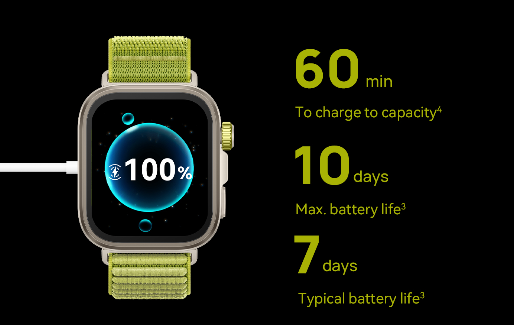
Smartwatches have become essential companions for fitness tracking, notifications, and health monitoring—until they suddenly refuse to charge. Few things are more frustrating than placing your watch on its charger only to find the battery percentage stuck or even dropping. Charging issues can stem from multiple causes, ranging from simple connection problems to more serious hardware failures. Sometimes the solution is as easy as cleaning the charging contacts, while other cases may require professional repair. Understanding why your smartwatch isn’t charging helps you troubleshoot effectively before considering costly replacements. In this article, we’ll explore the most common charging problems, practical fixes, and when it’s time to seek expert help.
Contents
What Hardware Problems Can Prevent Charging?
Dirty or Damaged Charging Contacts
One of the most frequent reasons a smartwatch won’t charge is dirty or corroded charging contacts. Over time, sweat, dust, and pocket lint can accumulate on the metal pins, creating a weak connection. For example, if you wear your watch during intense workouts, salt from sweat may build up and block proper contact with the charger. A simple fix is gently cleaning the contacts with a cotton swab dipped in rubbing alcohol. Physical damage is another concern. If the charging port or pins are bent, scratched, or worn out, the charger may not make proper contact. Some smartwatches use magnetic charging docks—if the magnets weaken or shift, the watch might not align correctly. Inspect both the watch and charger for visible damage, and try repositioning the device multiple times to see if charging starts.
Battery Degradation Over Time
Like all rechargeable batteries, smartwatch batteries lose capacity after hundreds of charge cycles. You might notice your watch draining faster than usual or refusing to charge past a certain percentage. If your device is over two years old, battery wear could be the culprit. Unfortunately, replacing a smartwatch battery usually requires professional service, especially for water-resistant models with sealed designs.
Could Software or Settings Be Causing Charging Issues?
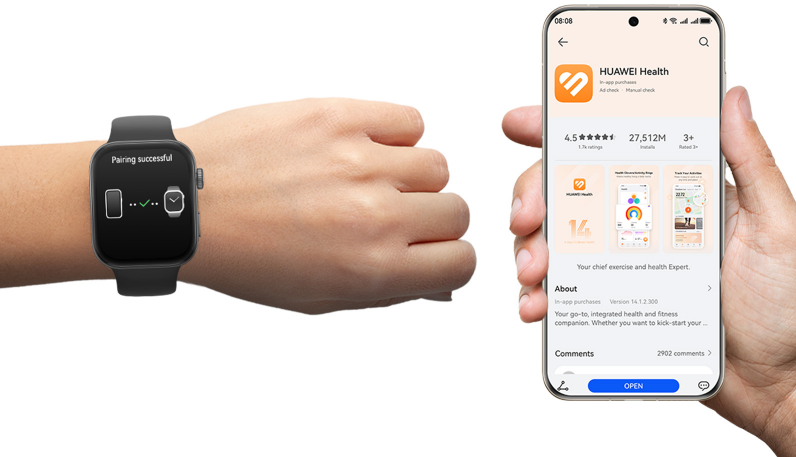
Software problems can sometimes interfere with charging. A stuck background process or firmware bug might prevent the battery from charging even when connected to power. For instance, some users report their smartwatches getting “stuck” at a certain charge level until they restart the device. Try performing a soft reset (usually by holding the power button for 10-15 seconds) to see if that resolves the issue. Outdated firmware can also cause charging inconsistencies. Manufacturers often release updates to optimize battery performance, so check for available updates in your smartwatch companion app. If your watch has a “battery saver” or “optimized charging” mode, temporarily disabling it might help identify if the feature is causing problems.
Are Your Charging Accessories the Problem?
Not all charging cables and adapters are created equal. A worn-out USB cable or a low-quality power adapter might not deliver enough current to charge your smartwatch efficiently. For example, using a phone charger with incorrect voltage could result in extremely slow charging or no charging at all. Always use the original charger or a manufacturer-certified replacement. Wireless charging pads can also develop issues. If your smartwatch uses Qi or proprietary wireless charging, debris or misalignment might prevent proper energy transfer. Try cleaning the charging surface and ensuring the watch is centered correctly. If possible, test with another compatible charger to rule out accessory failure.
How Does Environment Affect Smartwatch Charging?
Smartwatch batteries are sensitive to temperature extremes. Charging in very cold conditions (below 32°F/0°C) can slow down or halt charging completely, while high heat (above 95°F/35°C) may cause the battery to overheat and stop accepting power. For example, leaving your watch in a hot car or exposing it to direct sunlight while charging can trigger safety mechanisms that pause charging. Humidity and moisture are other concerns. If water gets into the charging port (even from sweat or rain), it can cause corrosion or short-circuit the contacts. Always ensure your watch is dry before connecting it to a charger. Some models have moisture detection alerts that prevent charging until the device is completely dry.
When Should You Seek Professional Help?
Signs You Need Manufacturer Support
If you’ve tried all basic troubleshooting steps—cleaning contacts, testing different chargers, resetting the device—and your smartwatch still won’t charge, it might be time for professional repair. Persistent issues like rapid battery drain, swelling batteries, or burning smells indicate serious hardware problems that require expert attention. Water damage is another red flag. Even water-resistant watches can suffer internal corrosion if submerged beyond their rated depth. If your watch was exposed to liquids and now won’t charge, a professional inspection is recommended before further damage occurs.
Warranty & Repair Options
Check if your smartwatch is still under warranty—many manufacturers cover battery and charging issues for at least one year. If the warranty has expired, third-party repair shops may offer battery replacements at a lower cost than buying a new device. However, for newer or high-end models, official service centers are often the safest choice to maintain water resistance and functionality.
Conclusion
Most charging problems can be resolved with simple fixes like cleaning the contacts, using the correct charger, or updating the software. However, if your watch still refuses to power up after troubleshooting, it might be time for an upgrade. If you’re experiencing frequent charging issues with your current device, consider switching to a higher-end smartwatch model, such as the huawei Watch Fit 4 Pro. With its exceptional quality and cutting-edge technology, it promises to deliver an extraordinary experience.

